
How to choose an appointment scheduling tool
What to check before you share a booking link: time zones, clock changes, availability rules, confirmations, reminders and cancellations.
Published · Updated
Why the choice matters
A booking link replaces the email chain of “does Tuesday work?” with a page where people pick a time themselves. That only helps if the page shows the right times. When guests sit in other countries, a tool that gets time zones or clock changes wrong creates missed calls instead of saving time.
Before you choose, write down who books you, where they are, and how much of your week you want to open up. Then check each option against the list below.
What to look for
Time zones shown to each guest
A guest should see open times in their own zone without doing any maths. The best tools detect the zone from the browser, let the guest change it, and still show your local time next to each slot so both sides agree on the same moment.
Clock changes handled for you
Daylight saving starts and ends on different dates around the world, and some places never change. Slots should be worked out per date, so a 9 AM start stays 9 AM for you after your clocks move, and the guest sees the right time on their side.
Availability that matches real life
Look for working days and hours, a minimum notice period, a limit on how far ahead people can book, buffers around other meetings and a daily cap. Without these, a booking link fills the gaps you meant to keep free.
A live calendar check
The tool should read your calendar and hide busy times, then add the booking to it. Otherwise you are copying events by hand and risking double bookings.
A short, shareable link
One link you can put in an email signature or a chat message is easier than sending a list of times. It should be readable and stay the same over time.
Spam and fake booking protection
Public links attract junk. Email confirmation, rate limits and an option to approve requests first keep your calendar for real meetings.
Reminders and simple cancellation
Reminder emails cut no-shows. A clear cancel link, with both sides notified, saves an awkward back and forth.
A meeting location by default
A video call link created with the booking means nobody has to ask where to join. A fallback, such as a phone number or address, helps when video is not an option.
Questions to ask before you commit
- If a guest in another country opens my link, will they see times in their zone and mine?
- What happens to my open times in the week my clocks change, and in the week theirs do?
- Can I stop people booking at short notice, or months ahead?
- Does it keep a gap around my other meetings and stop at a sensible number per day?
- How does it stop fake or duplicate bookings?
- Who gets reminded, when, and how does someone cancel?
How MeetETA booking covers this
Pro featureMeetETA started as a time zone app, so booking is built around time zones first. Booking is part of MeetETA Pro. It turns your MeetETA link into a page where people book you inside your working hours.
- Times in the guest’s zone, with yours alongside. The page detects the visitor’s time zone, lets them change it, and shows your local time under every slot.
- Daylight saving safe. Open times follow your working hours on each date in your own zone, including shifts that run past midnight.
- Google Calendar and Google Meet. Busy times on your Google Calendar are hidden. Each booking is added to your calendar with a Meet link and the guest is invited. You can set a fallback location, such as a phone number or address.
- Availability rules. Meeting length of 15, 30 or 60 minutes, minimum notice from 1 hour to 1 day, booking up to 7, 14 or 30 days ahead, buffers of up to 30 minutes and a limit of up to 12 meetings a day.
- Protection from junk bookings. Guests confirm with a 6-digit code sent to their email, and the slot is held for 10 minutes while they do. You can require a meeting topic or approve every request by email first.
- Reminders and cancellation. Confirmed meetings get reminder emails 24 hours and 1 hour before they start. A cancel link lets either side cancel, and everyone is notified.
- Pause any time. Pause new bookings without losing your settings or meetings already booked.
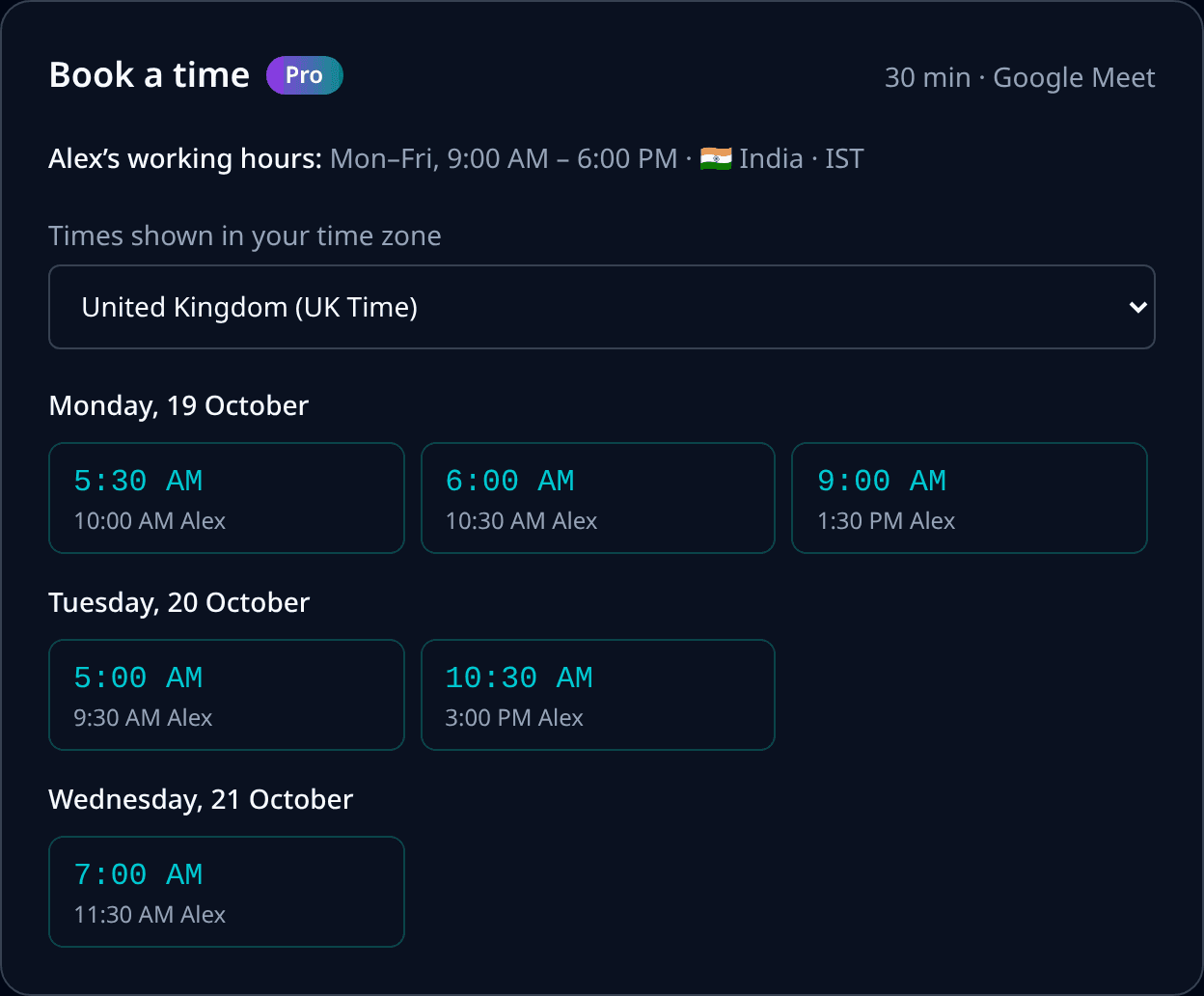
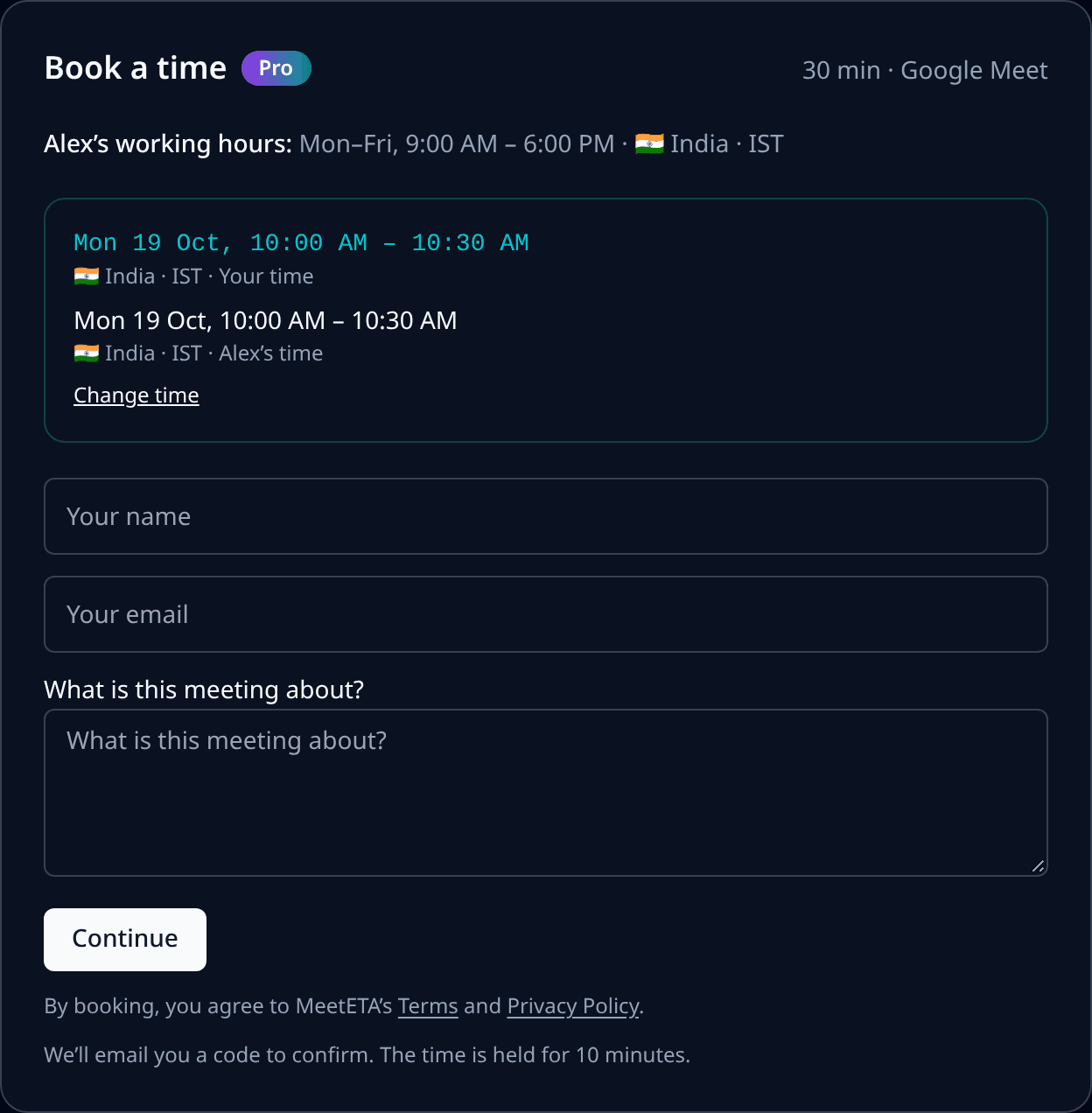
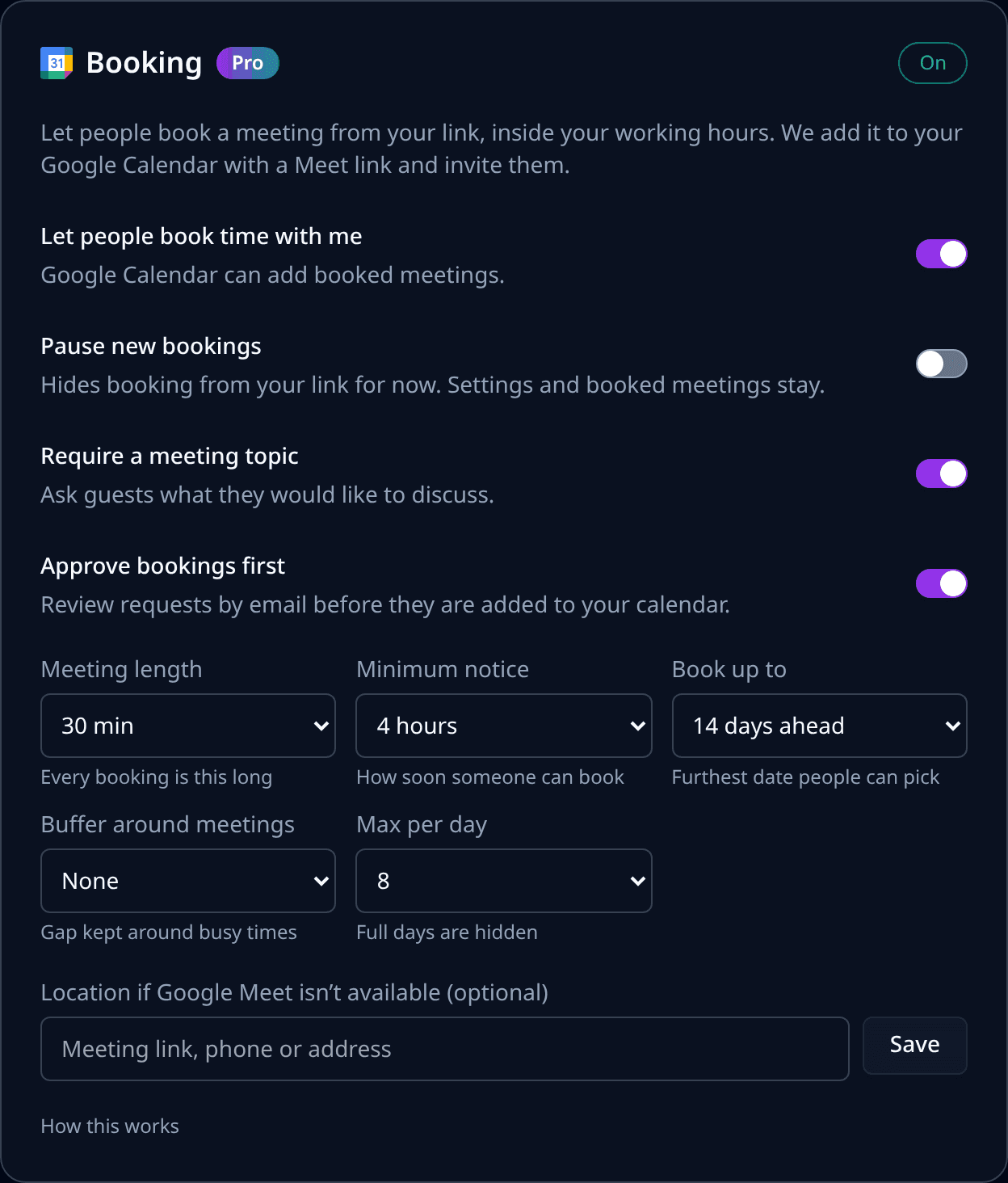
Let people book you in their time zone
Booking comes with MeetETA Pro, along with next free times on your links and a custom MeetETA link.
See Pro plans and pricingCommon questions
Is booking included in the free plan?
No. Booking is part of MeetETA Pro. World clocks, the converter, Find a time and your personal link are free.
Which calendar does MeetETA booking use?
Google Calendar. MeetETA checks your busy times there, adds each booked meeting with a Google Meet link and invites the guest.
What happens when the clocks change?
Open times follow your working hours on each date in your own time zone, so they stay correct across daylight saving changes for you and your guests.
Can I review requests before they are booked?
Yes. Turn on Approve bookings first and you review each request by email before it is added to your calendar.